
A Preact code app gives you React’s API at a fraction of the size, and it ships as a Power Apps code app without fuss. A Power Apps code app is just a Vite app, so the official React template is one option rather than the only one. As a result, you can scaffold Preact with TypeScript and add a single Vite plugin to publish to Power Platform.
This guide follows a build we actually tested. Moreover, because Preact mirrors React, it is the easiest stack to migrate to from the official template.
Why a Preact code app works
The Power Apps glue sits in the Vite layer, not in framework code. Specifically, three pieces carry it. First, @microsoft/power-apps provides the SDK, and the separate @microsoft/power-apps-cli package provides the pa command-line tool. Second, the @microsoft/power-apps-vite plugin sets the base path, configures CORS, serves your config, and prints the Local Play URL. Third, power.config.json points the app at your environment.
Because none of that depends on React internals, a Preact code app needs no bridge. In fact, there is no provider and no init call to write. Therefore Preact slots in cleanly.
Build your Preact code app step by step
First, scaffold the Preact stack:
npm create vite@latest my-app -- --template preact-ts
cd my-app
npm install
If create-vite asks Install with npm and start now?, answer No and run the cd and npm install lines yourself. Saying Yes also starts the dev server, which you do not need yet. The commands are shown one per line on purpose: Windows PowerShell 5.1 rejects && between commands, while PowerShell 7, cmd and bash accept either form.
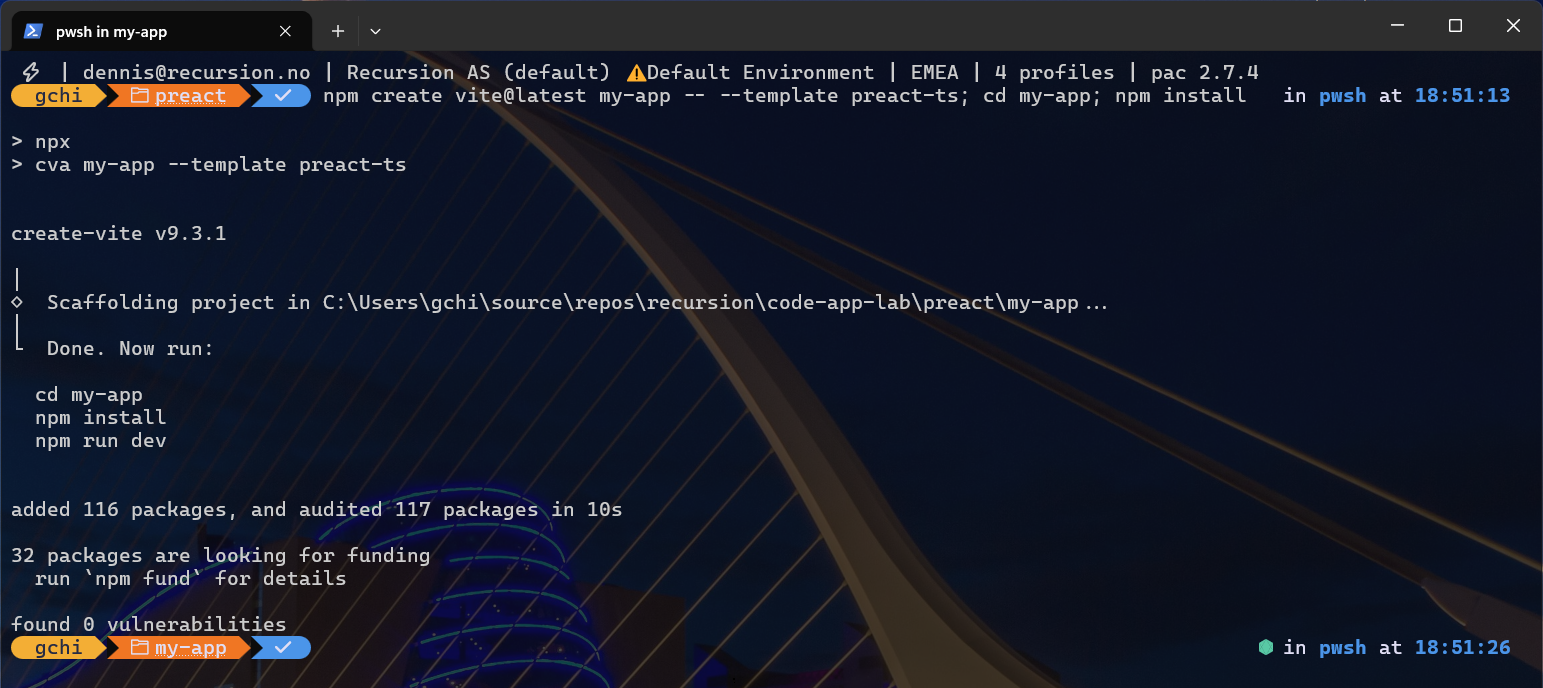
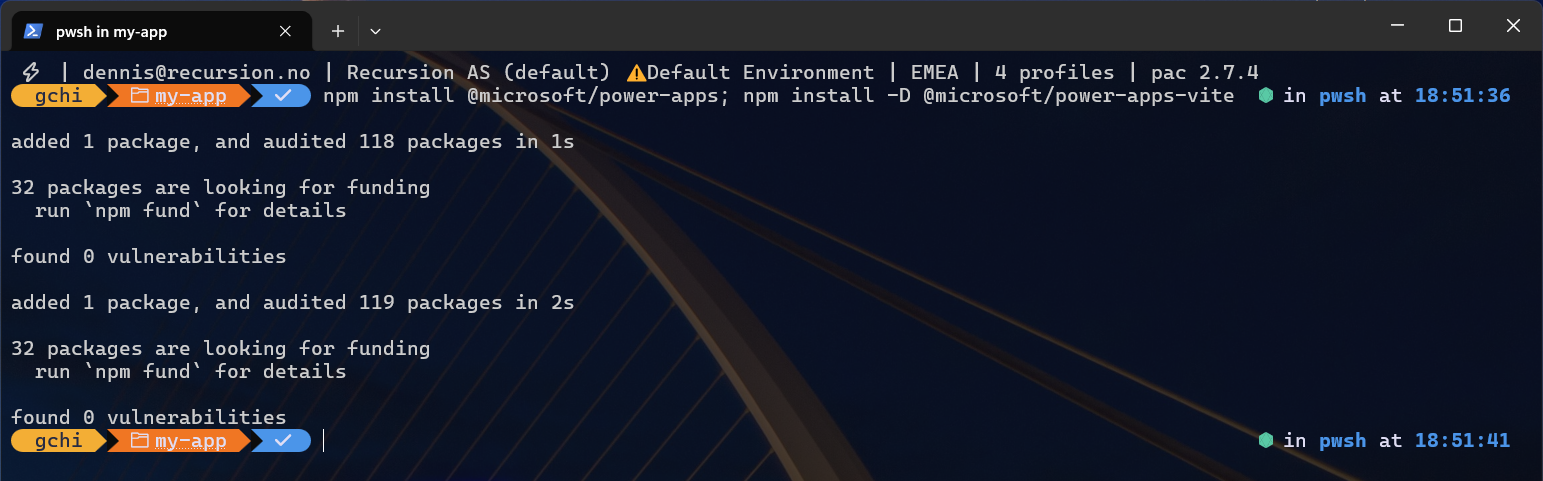
Next, add the Power Apps SDK and the Vite plugin:
npm install @microsoft/power-apps
npm install -D @microsoft/power-apps-vite
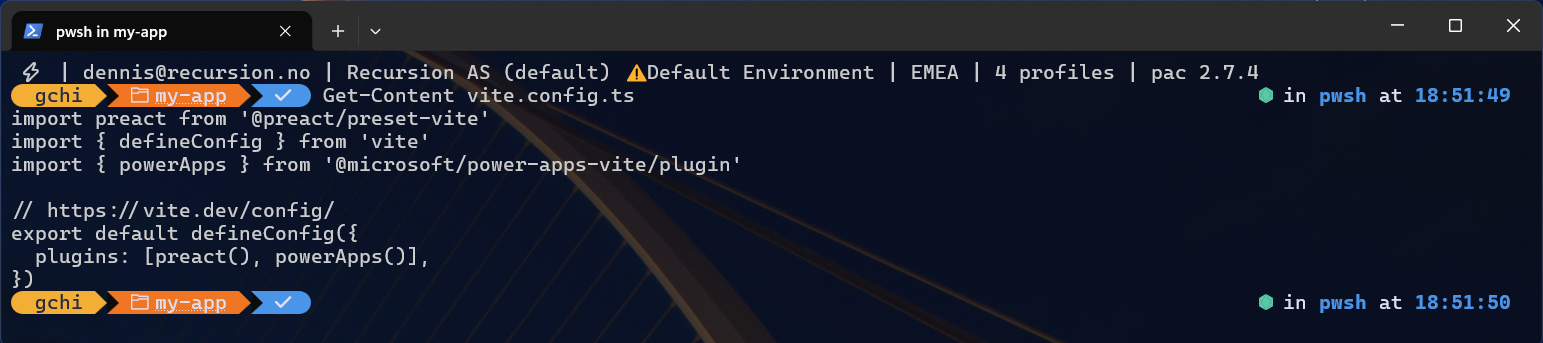
Then register the plugin in vite.config.ts, alongside the existing @preact/preset-vite:
import preact from '@preact/preset-vite'
import { defineConfig } from 'vite'
import { powerApps } from '@microsoft/power-apps-vite/plugin'   // added

export default defineConfig({
  plugins: [preact(), powerApps()],   // powerApps() added
})
After that, install the Power Apps CLI once (it provides the pa command), then bind the app to your environment. The init command opens a browser sign-in if you are not signed in yet, adds the CLI to the project as a dev dependency, and writes power.config.json. Its output ends with a hint to run npm install again; that installs the project-local copy of the CLI and is optional, because the global pa command already works:
npm install --global @microsoft/power-apps-cli
pa app init -n "My Preact App" -e <environment-id>

Finally, run locally and publish:
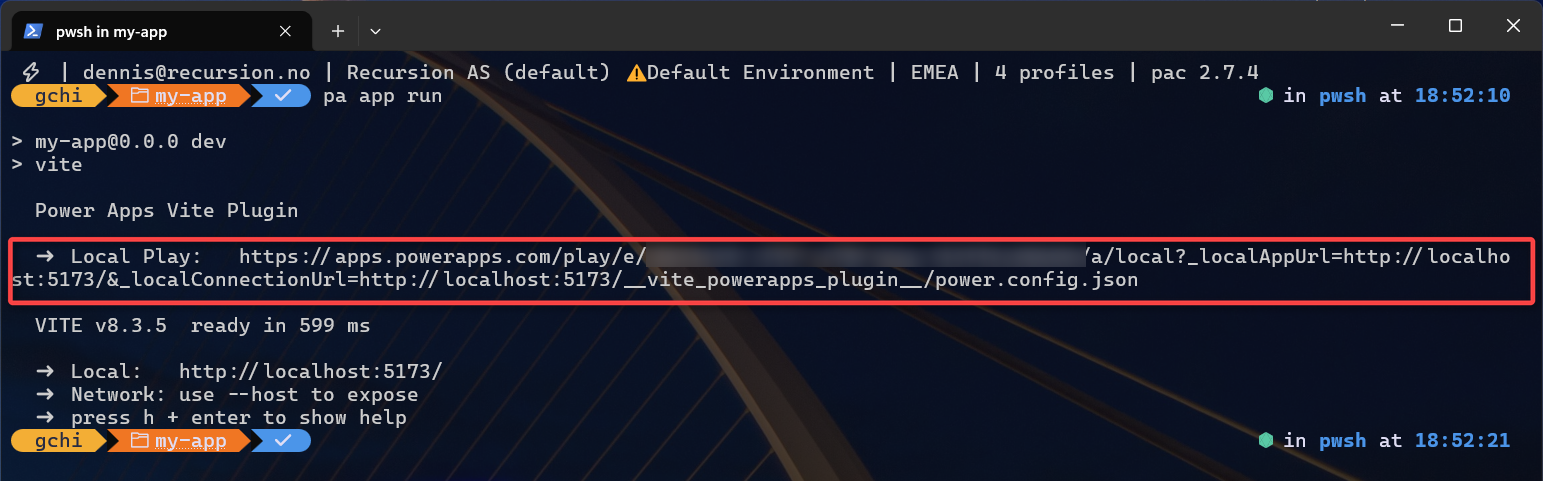
pa app run
npm run build
pa app push
When pa app run starts the dev server, the plugin prints a Local Play URL. Open it in the same browser profile as your Power Platform tenant, and accept the browser’s Local Network Access prompt the first time: Chrome and Edge block calls from the player to localhost until you do. When you push, the CLI returns a live app URL.

This is what you should see when you open the live app URL: the app running inside Power Apps after pa app push, with the name you gave pa app init in the header.

What to check as you go
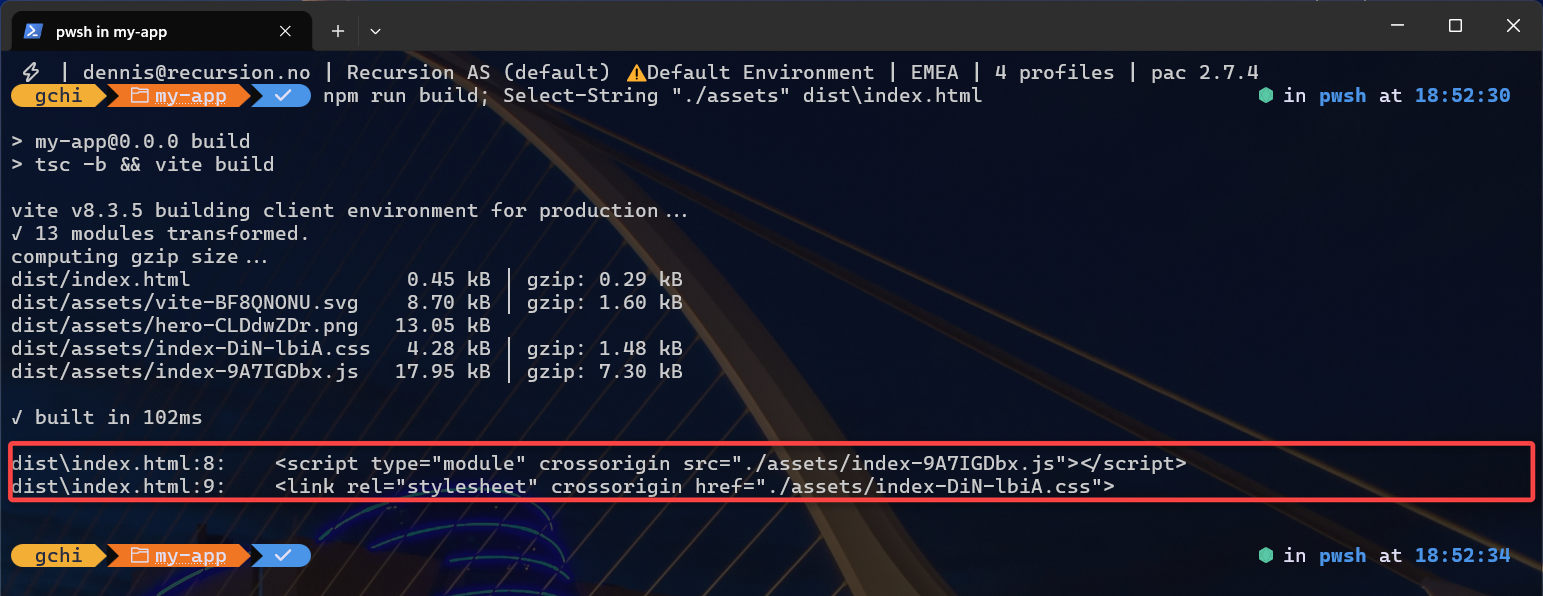
Each step has a clear verification, so you never debug blind. For example, the build should emit relative ./assets/... paths in dist/index.html. Indeed, that relative path proves the plugin is active. Our Preact code app build passed this check at roughly an 18 KB bundle.
Preact-specific notes
This is the closest migration path from the official React template. Because @preact/preset-vite aliases react and react-dom to Preact, most React component code and many React-targeting libraries work unchanged. To read context, import getContext from @microsoft/power-apps/app inside a useEffect. Data connectors, meanwhile, generate plain TypeScript services under src/generated/; you call XxxService.getAll() from a hook exactly as in React.
Stress-test notes
Before publishing, we did more than build this Preact code app – we tested it the way a real project runs. We added the extras a normal app needs (page navigation and shared state) and called the Power Apps SDK. Then we opened the running app in an automated browser (a tool called Playwright) and confirmed it worked with no errors.
Two things are worth knowing, and the second is specific to Preact.
Don’t make the app wait for Power Apps before it shows anything. The SDK call that reads the signed-in user (getContext()) only finishes when the app runs inside Power Apps. On your laptop it never finishes, so if your code waits for it, you get a blank screen. Just let that call run in the background instead.
Mind the router choice. Preact’s popular router, preact-iso, has no “hash” mode – the mode that keeps the refresh button working inside Power Apps. It looked fine in local testing, but only because the local dev server is forgiving; the real Power Apps player is not. So for a Preact code app, either keep navigation simple (avoid reloading on a deep link) or add a hash-capable router such as preact-router. Everything else worked without changes.
Where to go next
This Preact walkthrough is one stack in a wider set. For the big picture, read the pillar guide on choosing any Vite framework for Power Apps code apps. From there you can compare React, Vue, Svelte, Solid, and Angular.
For the authoritative platform reference, see the Power Apps code apps documentation on Microsoft Learn.
Leave a Reply